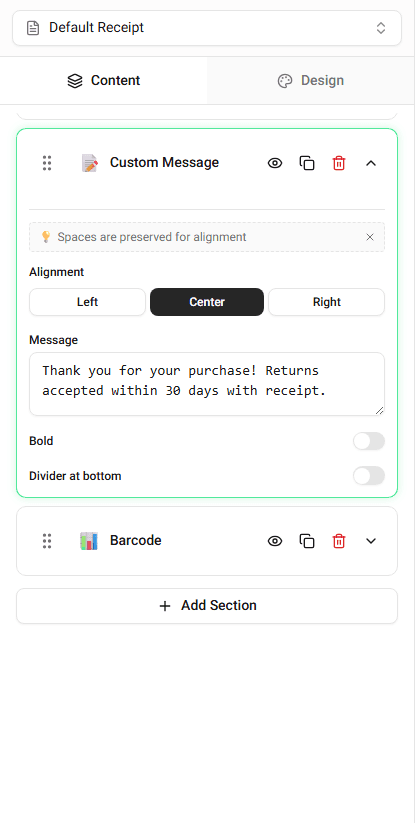
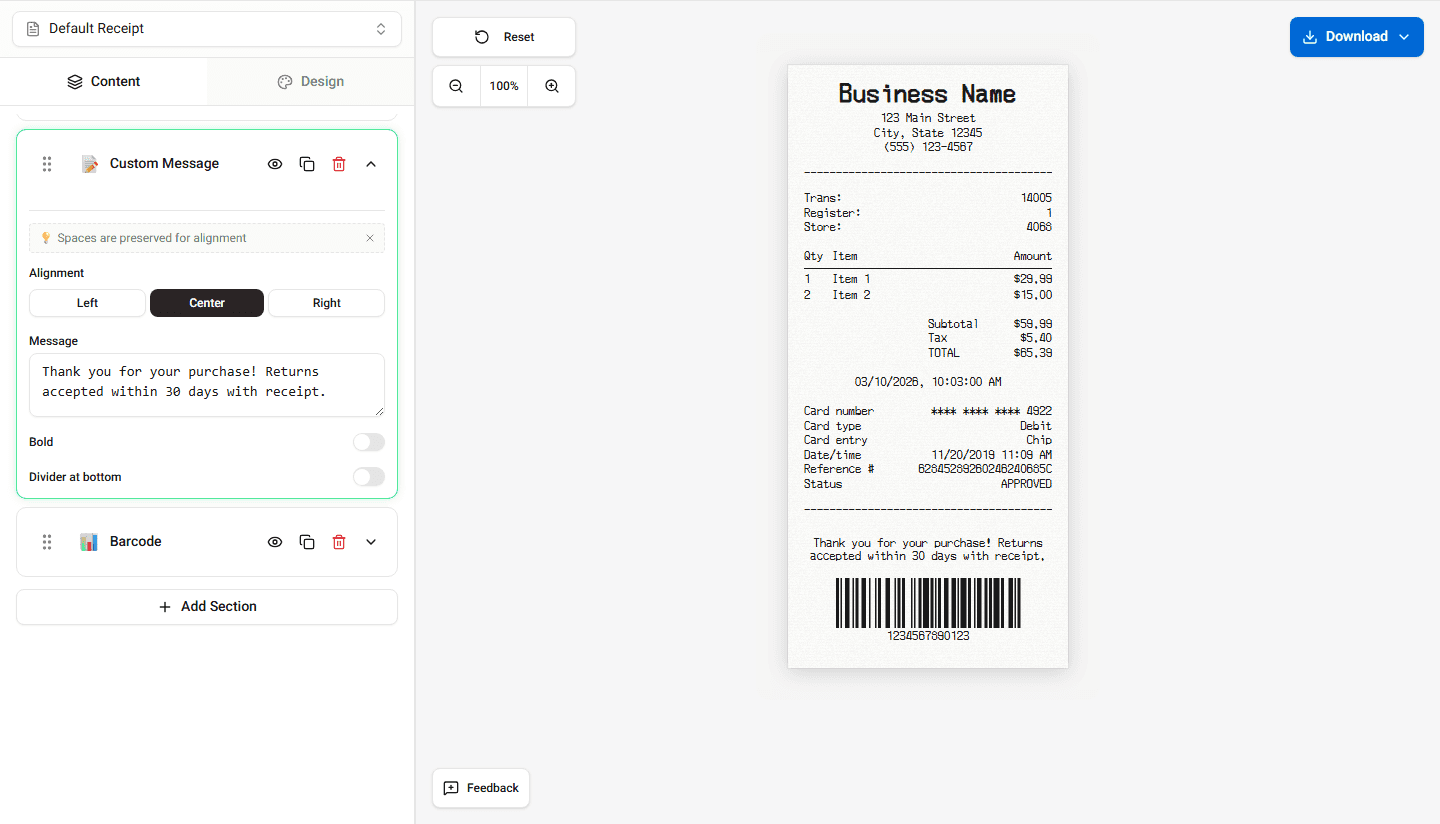
Receipts often include extra text beyond the standard store info, items, and totals. Receipt Maker lets you add custom content sections for return policies, thank-you messages, disclaimers, and more.
What Custom Content Is Used For
Custom text sections are commonly used for:
- Return policies (e.g. “Returns accepted within 30 days with receipt”)
- Thank-you messages (e.g. “Thank you for shopping with us”)
- Promotional messages or coupons
- Store disclaimers or legal notices
- Loyalty program information
These messages typically appear near the bottom of the receipt.
Adding a Custom Message Section
- Open the Custom Message section in the Content tab.
- Enter the text you want displayed.
- The receipt preview updates immediately.
You can add multiple custom message sections if needed. Use the Add Section menu to insert additional Custom Message blocks.
Editing or Removing Custom Content
- To edit: change the text directly in the Custom Message field. The preview updates instantly.
- To remove: click the delete button on the section header. A confirmation dialog will appear before deletion.
Positioning Custom Content
Custom message sections can be reordered using the drag handles (desktop) or up/down arrows (mobile) on each section. Place them wherever they fit best in your receipt layout.
Examples
Return policy:
Returns accepted within 30 days. Receipt required. Refunds issued to original payment method.
Thank-you message:
Thank you for shopping with us! Visit us again soon.
Promotional text:
Show this receipt for 10% off your next purchase.