Spacing between receipt elements affects how easy the receipt is to read.
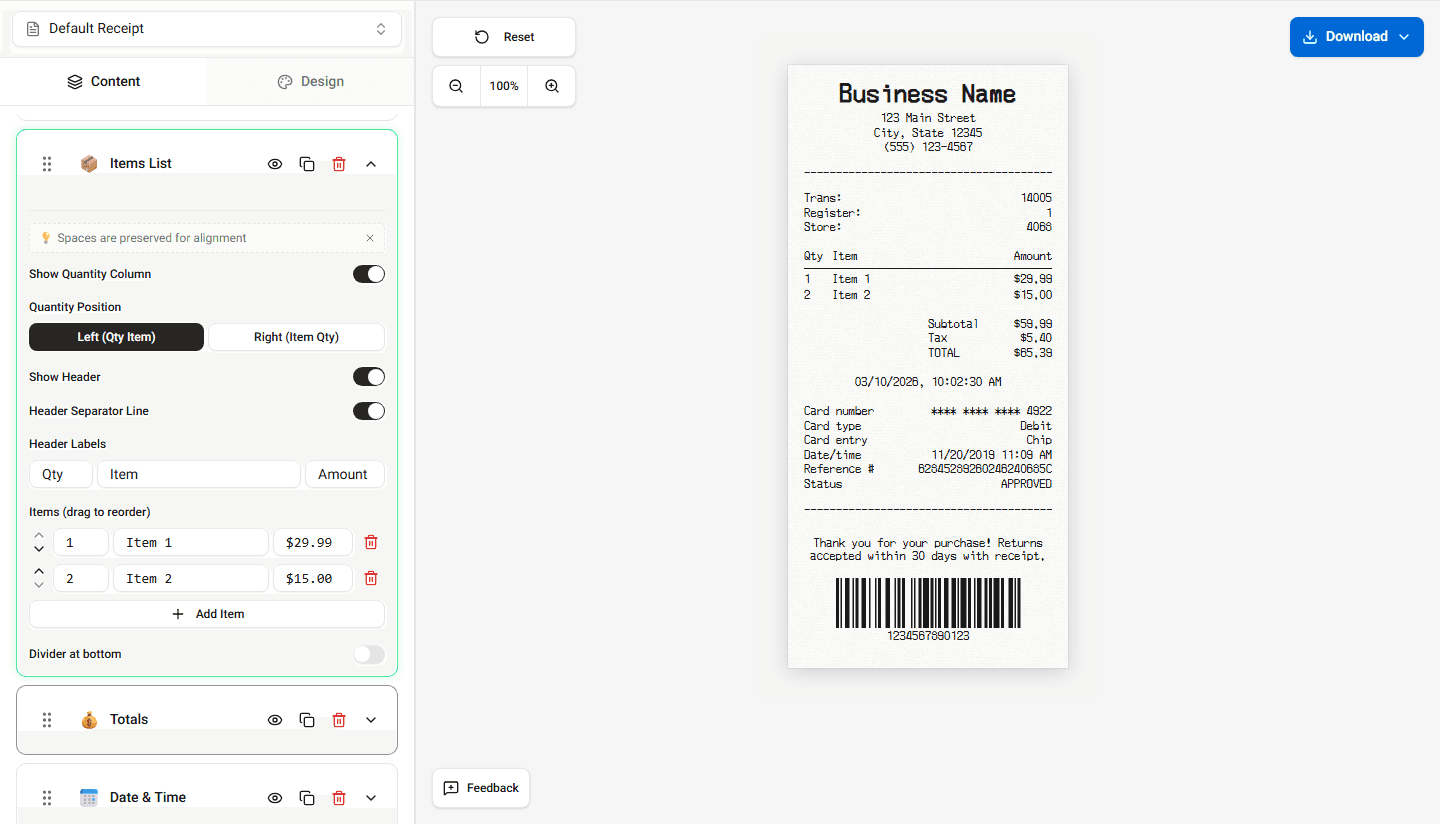
Most POS receipts use compact spacing so that all purchase information fits on a narrow receipt.
Receipt Maker follows a similar layout approach.
How Spacing Is Used
Spacing separates different sections of the receipt.
Common spacing areas include:
- space between header and transaction details
- space between items
- space before the totals section
- space before the footer
This separation helps customers quickly identify different parts of the receipt.
Item Row Spacing
Items are usually listed with consistent vertical spacing.
Each row contains:
- item name
- quantity
- price
- item total
Consistent spacing ensures the receipt remains readable even when many items are listed.
Manual Spacing Control
You can manually adjust horizontal spacing within any text field by typing space characters with your keyboard. Adding spaces to the left or right side of the input text shifts the content on the receipt.
This is useful when you need to:
- align item names or prices with other rows
- add padding between a label and its value
- match the formatting of a real receipt more closely
The builder preserves all whitespace you enter, so the receipt preview reflects your exact spacing.
Summary
Item spacing helps separate receipt sections and keeps the layout readable. Use keyboard spaces inside input fields to fine-tune horizontal alignment when needed.