The receipt number is a unique identifier that appears near the top of most receipts. It helps identify a specific transaction.
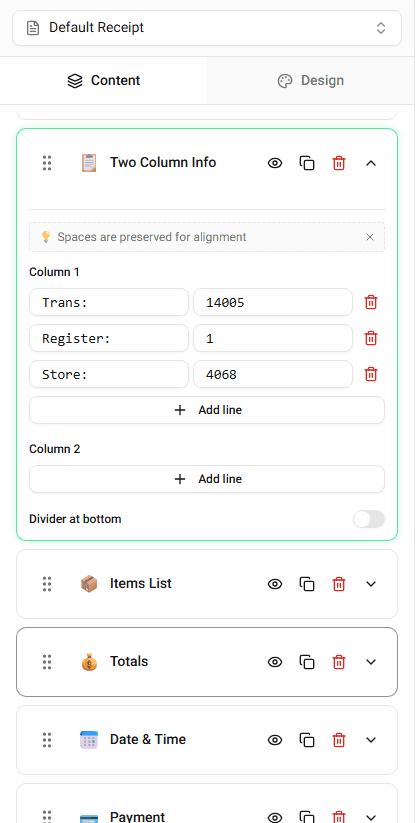
In Receipt Maker, you can edit the receipt number directly in the transaction details section.
Where the Receipt Number Appears
The receipt number usually appears below the store header or near the transaction information.
Depending on the template, it may be labeled as:
- Receipt #
- Receipt Number
- Transaction Number
Editing the Receipt Number
To update the receipt number:
-
Locate the Receipt Number field in the builder.
-
Enter the number you want displayed.
The receipt preview will update immediately.
When You Might Change the Receipt Number
You may want to edit the receipt number when:
- recreating a receipt
- matching a transaction record
- testing different receipt formats
Summary
The receipt number identifies the transaction. You can edit it directly in the transaction details section of the builder.
Last updated on