If an item was added by mistake, you can remove it from the receipt.
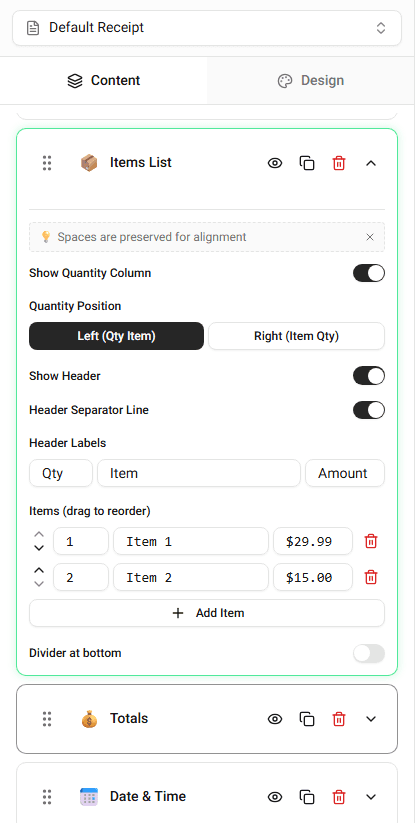
Items can be removed from the Items List section of the builder.
Removing an Item
To remove an item:
-
Open the Items List section.
-
Locate the item you want to remove.
-
Click Remove Item.
The item will disappear from the receipt preview.
What Happens After Removing an Item
When an item is removed:
- the item row disappears
- the subtotal updates
- the final total updates
This keeps the totals accurate.
When to Remove Items
You may remove items when:
- correcting a mistake
- updating the purchase
- simplifying the receipt
Summary
Items can be removed from the Items List section. Removing an item updates the receipt preview and recalculates the totals.
Last updated on