Receipt formatting refers to the overall structure and layout of the receipt.
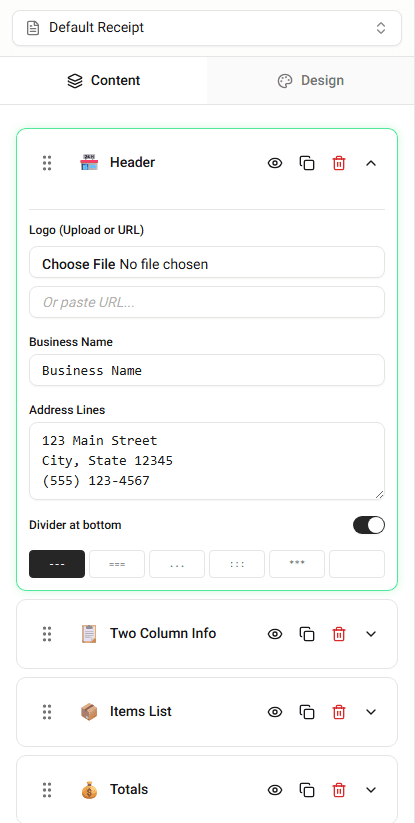
This includes how information is arranged and how sections are displayed.
Receipt Maker formats receipts to resemble the structure used by point-of-sale systems.
Main Receipt Sections
Most receipts follow a similar layout.
Typical sections include:
-
Header – store information
-
Transaction details – purchase identifiers
-
Item list – purchased products or services
-
Totals section – subtotal, tax, and final total
-
Payment section – payment method
-
Footer – additional messages or policies
Why Formatting Matters
Proper formatting ensures that receipts remain readable and organized.
It allows customers to quickly identify:
- what was purchased
- how much was paid
- how the purchase was completed
Viewing the Receipt Layout
The builder preview shows how the receipt is formatted.
Any changes made in the editor will immediately appear in the preview.
Summary
Receipt formatting organizes information into clear sections such as the header, item list, totals, and payment details. This structure makes receipts easy to read and understand.