When editing a receipt, you may need to reuse items or change the order they appear.
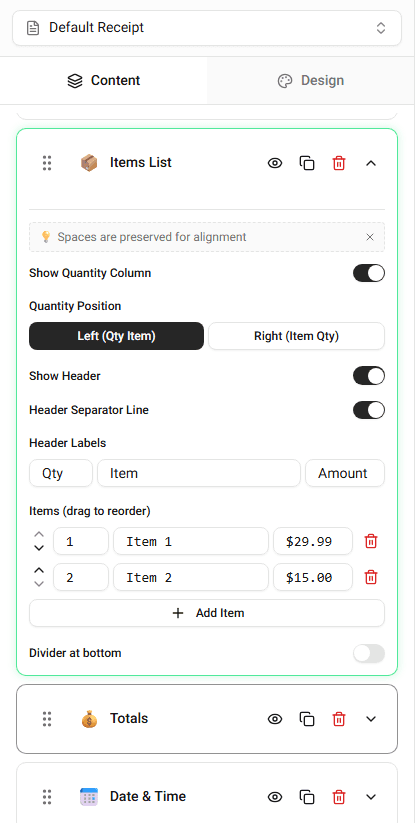
The builder allows you to duplicate items and rearrange them inside the item list.
Duplicating an Item
Duplicating an item is useful when multiple items share similar information.
For example:
- the same product purchased multiple times
- several items with similar prices
Steps
-
Locate the item you want to duplicate.
-
Click the Duplicate option.
-
A copy of the item will appear in the list.
You can edit the duplicated item if needed.
Reordering Items
The order of items on the receipt matches the order in the item list.
To change the order:
-
Locate the item in the list.
-
Move it up or down.
-
The receipt preview will update to reflect the new order.
This helps you organize the receipt exactly the way you want.
Summary
You can duplicate items to reuse item details and reorder them to control how they appear on the receipt.