Each item on a receipt includes a quantity field. This value represents how many units of a product or service were purchased.
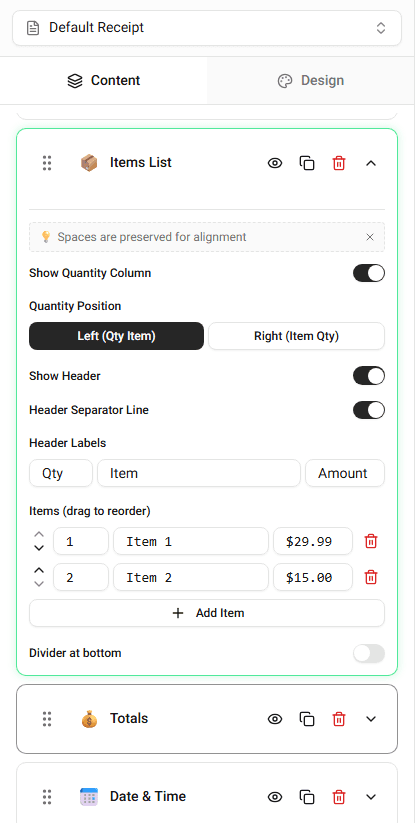
You can edit the quantity directly in the Items List section of the builder.
Where Quantity Appears
The quantity field is located inside each item row.
A typical item row includes:
- item name
- quantity
- unit price
- item total
The quantity determines how many units are included in the purchase.
Changing Item Quantity
To edit the quantity of an item:
-
Open the Items List section.
-
Locate the item you want to modify.
-
Update the Quantity field.
The receipt preview will update immediately.
How Quantity Affects the Receipt
When you change the quantity:
- the item total updates
- the subtotal updates
- the final total may change
This ensures the receipt reflects the correct purchase amount.
Summary
The quantity field controls how many units of an item appear on the receipt. Updating the quantity automatically updates the totals displayed in the receipt.