Large retail businesses often assign each location a store number. This number helps identify the specific location where a transaction occurred.
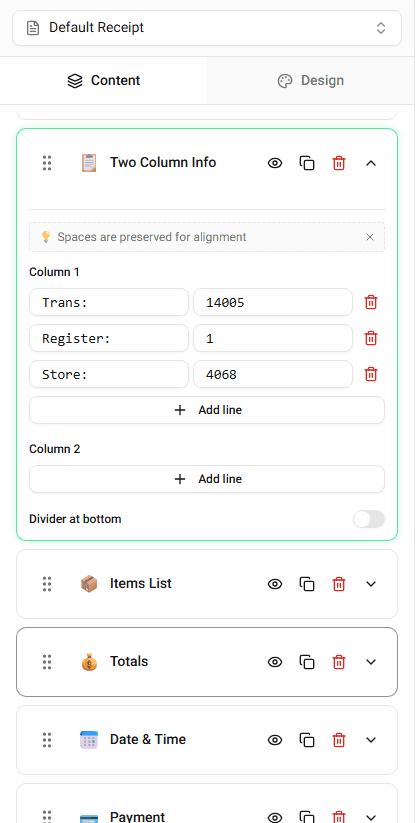
Receipt Maker allows you to edit the store number directly in the builder.
Where Store Number Appears
The store number usually appears in the transaction details section.
It may appear near:
- register information
- receipt number
- cashier information
Editing the Store Number
To change the store number:
-
Locate the Store Number field.
-
Enter the number you want displayed.
The receipt preview updates immediately.
Why Store Numbers Are Used
Store numbers help businesses track purchases by location.
They are commonly used for:
- inventory tracking
- returns and exchanges
- transaction identification
Summary
The store number identifies the specific store location. You can edit the store number field directly in the builder.
Last updated on